1. Export a SRT subtitle file from Whisper Transcription App
To export subtitles from the Whisper Transcription App, go to Export and select "Subtitles" and "SRT" as the format.
2. Use the "Verktyg för undertexter & konvertering" to convert the SRT subtitle file into a Final Cut 7 XML marker file
Open the free Verktyg för undertexter & konvertering, select "SRT" and set "convert" to "Adobe Premiere Pro > Sequence (.xml)". Generate and download the file. Om du har problem med att konvertera filen kan du kontakta vår kostnadsfria support.
3. Import the Final Cut 7 XML marker file into Adobe Premiere Pro
To import timeline markers, go to "File -> Import" and select the XML file.
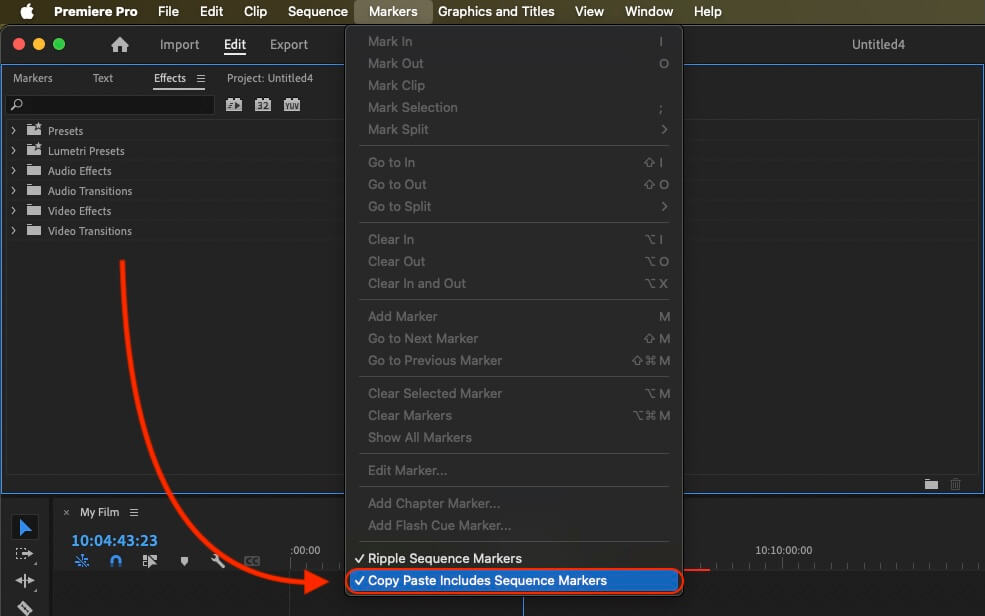
If you want to copy these markers into the existing sequence, use the adjustment layer or any other video as placeholder. Then copy the clip and switch to your existing sequence. Move the cursor to the location, where the adjusmtent layer or first marker appeared in the other sequence. Then past it. It will only copy the timeline markers if under setting (in the Markers menu) the option "Copy Paste Includes Sequence Markers" is active.
🚀 Klart
Det var allt för den här gången! Om du tyckte att handledningen var användbar får du gärna dela den för att stödja oss. Om du har förslag på hur vi kan förbättra arbetsflödet, hör av dig!