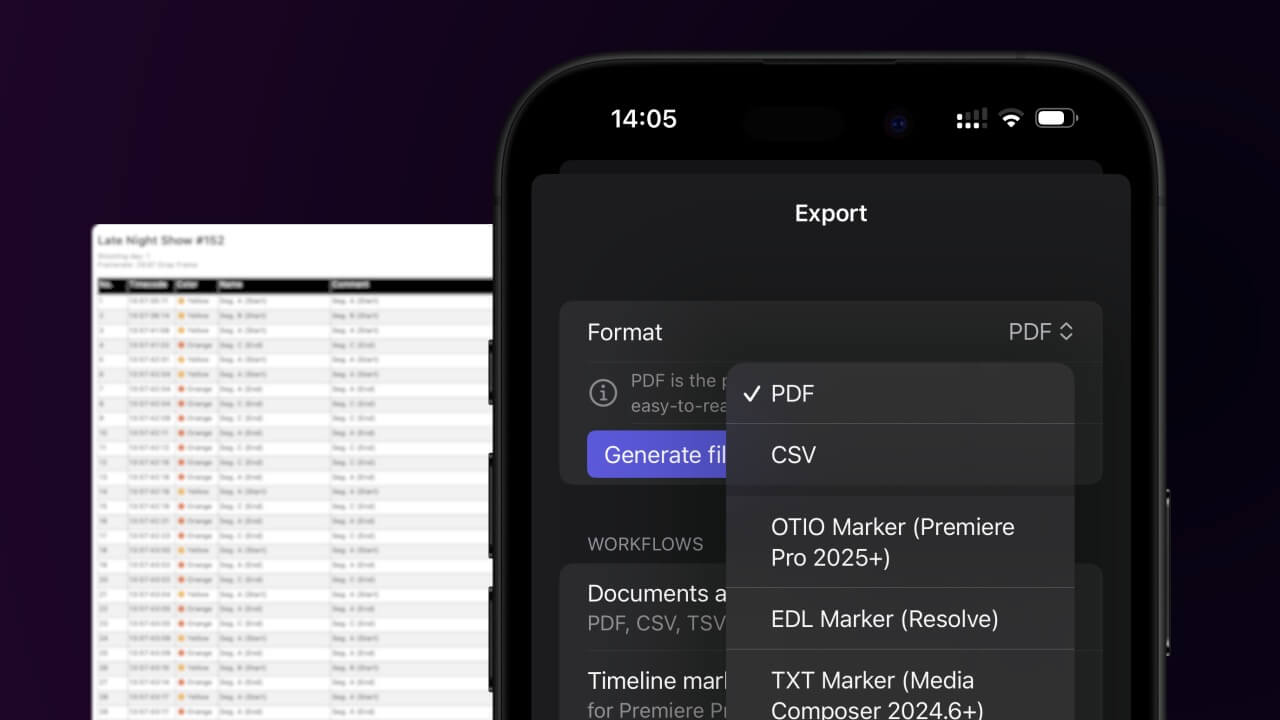
1. Export a CSV file from Live Timecode Notes app
Open the project in the app, then select "Export Notes" from the top menu. Select "CSV". Generate and save the file.
2. Use the "Verktyg för undertexter & konvertering" to convert the CSV file into a VTT subtitle file
Open the free Verktyg för undertexter & konvertering, select "CSV" and set "convert" to "VTT". Generate and download the file. Om du har problem med att konvertera filen kan du kontakta vår kostnadsfria support.
Make sure the CSV contains a column called "Timecode In", "Timecode Out" and "Subtitle". Otherwise it will not work.
🚀 Klart
Det var allt för den här gången! Om du tyckte att handledningen var användbar får du gärna dela den för att stödja oss. Om du har förslag på hur vi kan förbättra arbetsflödet, hör av dig!