MediaDB

MediaDB

MediaDB är ett oumbärligt verktyg för små postproduktionsbolag och frilansare som arbetar med stora mängder hårddiskar och andra lagringsmedier. Appen hjälper dig att skapa en databas över alla hårddiskar och filer som används. Du kan söka efter filer och bläddra i katalogträd medan enheterna är offline. MediaDB kan också användas för att skapa en RCP-fil för DaVinci Resolve från en EDL under conformprocessen av filmen.
Funktioner

  • Manage hard drives and discs offline
  • Index files like source material, archive footage and more
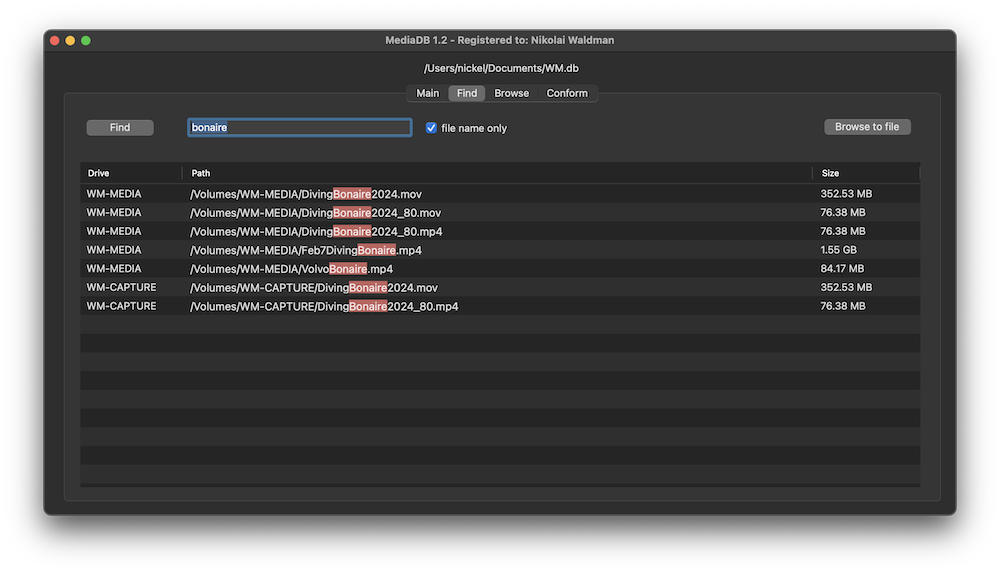
  • Search for files without connecting a drive
  • Create RCP files with EDL for Resolve Collect

The perfect tool to manage a huge archive of drives in small post-production studios or for freelancers.

The demo version allows to scan the first 50 files on each drive.

Requires macOS 11.5 or later

Manage hard drives and disc archives easily.

Index Drives

Scans the hard drives and add them it to the database. Make sure every drive has a unique name. If you add or remove files from the drive you can scan it again and the database will be updated.


Search files without the drive

Use MediaDB to find a file when you need it without connecting any drives to your computer.

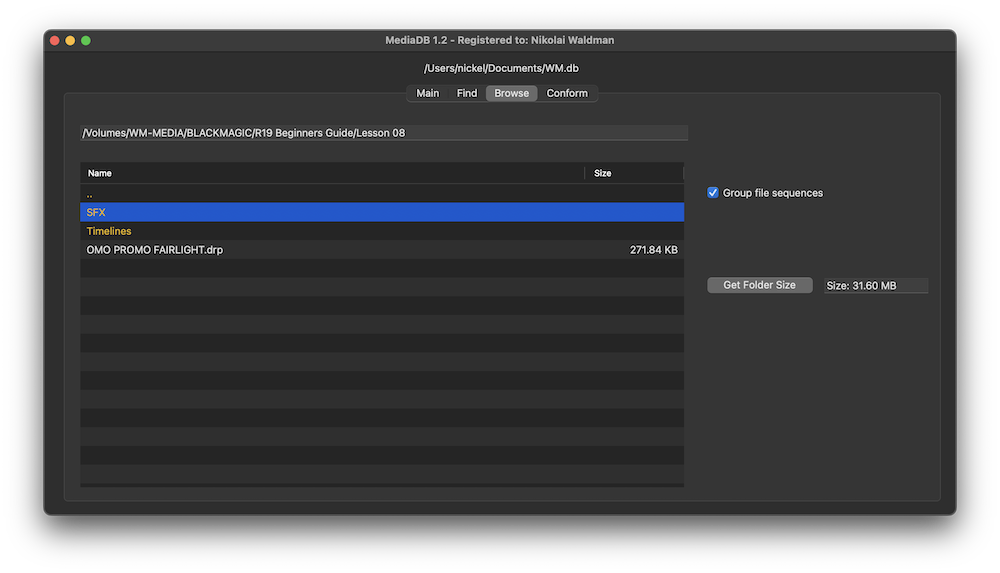
Group file sequences

When selected, each file sequence will be presented in the format filename[start-end].extension


Get Folder Size

Select a folder and press the “Get Folder Size” button to calculate the size of all folders and files recursively.

Conform

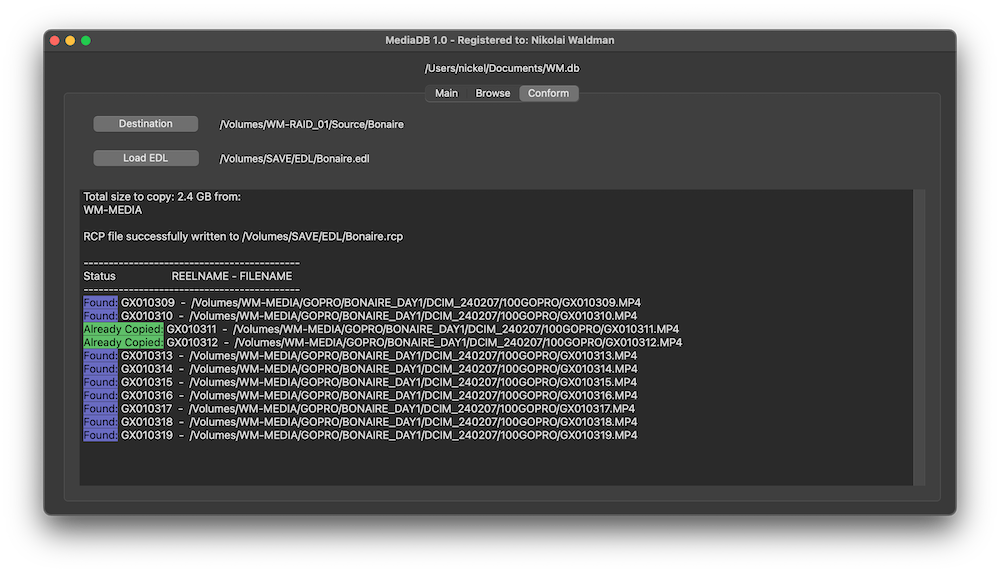
Import an EDL from any NLE with full reel names (e.g. File_129), and MediaDB will find the files and tell on which drives they are on. It will also create an RCP file, which you can then use with Resolve Collect to copy all the files.

Use cases of MediaDB

Film Editors working on multiple projects often need to use multiple discs to store source footage and other assets. Rather than connecting hard drives to the computer and trying to find the correct file, MediaDB can easily locate the file. A quick search in the app is enough to find the necessary file and locate the correct disc. This is especially useful if the archive includes SD cards, USB sticks, and other virtual drives.

Välj din licens

We offer three types of licenses. The single-user license is ideal for freelancers who want to use the software on one or two computers. This license is tied to a single account. For companies, we offer a team license, which is bound to the company. The number of licenses can be chosen upon purchase, with a minimum of three licenses. We also offer an enterprise option. Please contact our sales team for more information. All licenses are perpetual.

Vi rekommenderar att du loggar in innan du gör ett köp, så att du enkelt får tillgång till framtida uppdateringar av pluginet.
Licens för en användare
loading...
Team License (3+ users)
loading...
Kontakta vårt säljteam för en Enterprise-licens.

Observera: Plugin-programmet är för närvarande endast tillgängligt på engelska.

Du skickas vidare till den säkra "Paddle"-kassan. Paddle.com är Merchant of Record.

Omvänd skattskyldighet: Om du köper för ett företag och har ett momsregistreringsnummer kan du i vissa länder använda omvänd skattskyldighet. På kassasidan klickar du på "Add VAT ID" till vänster efter att du har valt land och postnummer.

Bundle

Resolve Collect and MediaDB

25% off
Vi rekommenderar att du loggar in innan du gör ett köp, så att du enkelt får tillgång till framtida uppdateringar av pluginet.

Stöd

Om du har några frågor eller önskemål om funktioner, vänligen kontakta vårt supportteam. Vi är glada att kunna hjälpa dig!

VANLIGA FRÅGOR

Efter nedladdningen packar du upp zip-filen och startar .pkg-filen. Sedan är det bara att följa installationsguiden.

From the app menu, select File > Register. Enter your license key in the "Key" field.

To remove a license from a device, choose File > Register from the app menu. Click on "Remove License".

You can save the database file to a server and connect to it there. However, be aware that the connection speed will be much slower. For the best speed, it’s better to have one master database file that you distribute to all the machines that need to access it.

Ja, om det finns uppdateringar tillgängliga kan du ladda ner dem gratis.

Nej, den här applikationen fungerar offline och delar inte någon av dina projektdata online.

Den här appen stöds endast på macOS.

Du kan helt enkelt ta bort .app-filen från din dator.

Om du behöver en funktion för appen, ett nytt alternativ eller en anpassad version, skicka ett meddelande till oss. Vi tillhandahåller anpassade lösningar för ditt företag.

Nikolai Waldman leads development for this app, which is published and distributed via EditingTools.io.